
The Brief
A travel website for planning trips with friends. The user should be able to create trips, add buddies, view and edit trips, upload photos and view past trips. Users must create an account and log in to make use of this website.
The Process
Persona 1
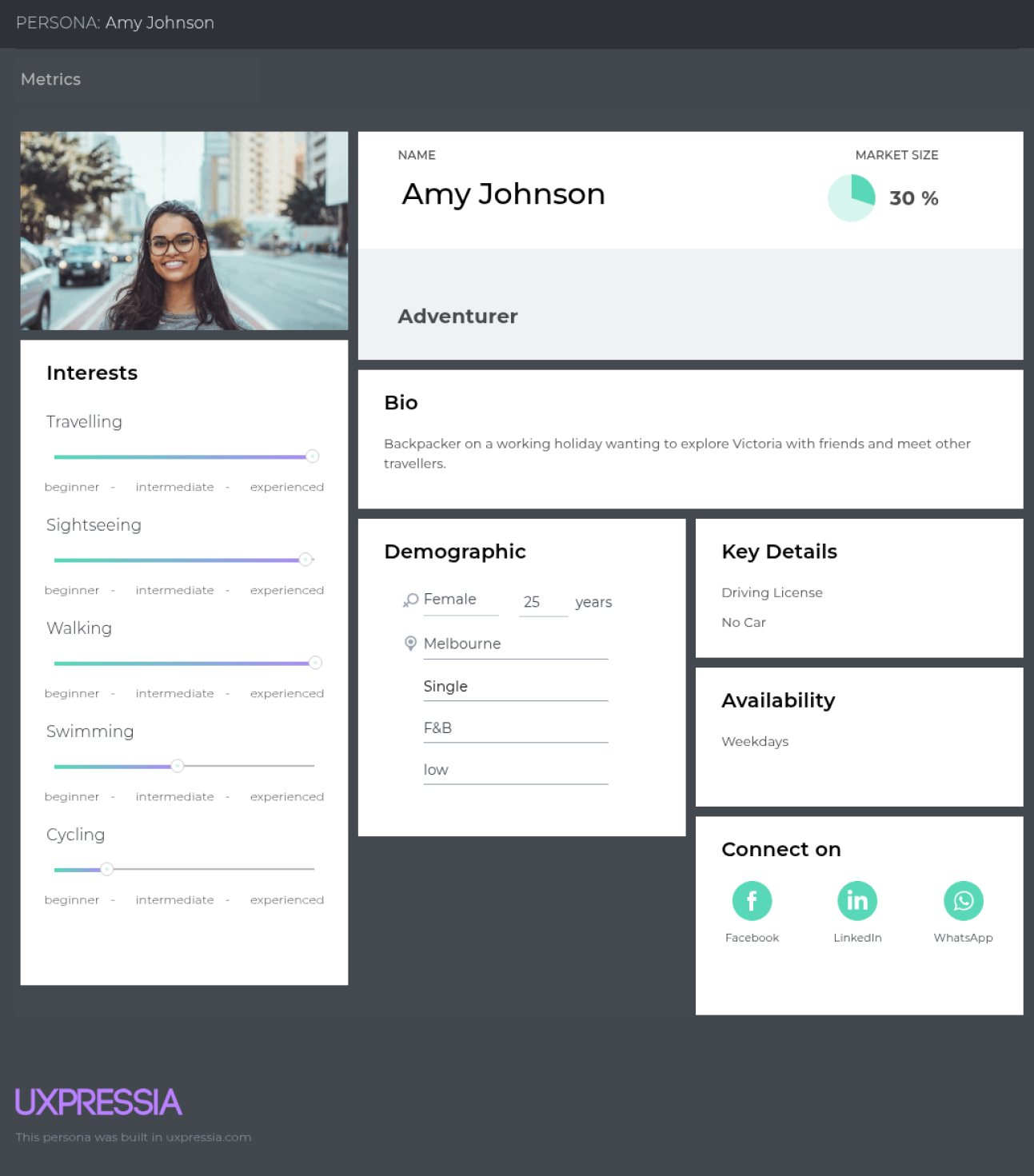
User Group 1
Young travellers (18-30), new to the country, don’t really know anyone, want to explore. They want to connect with other travellers and explore the country.
Persona 2
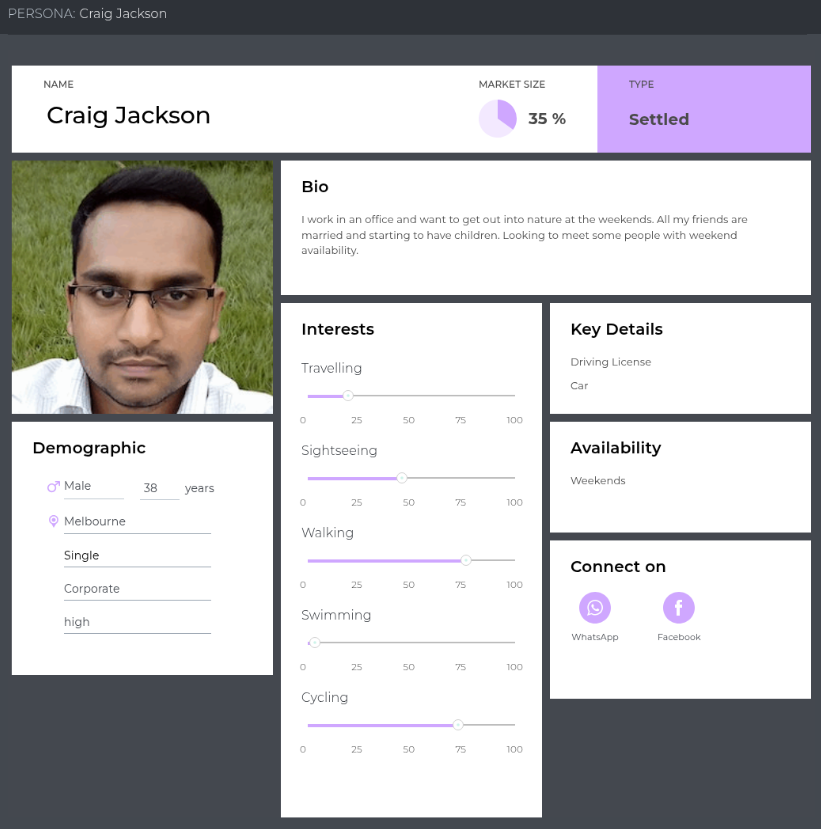
User Group 2
Slightly older user group (30-50). Local people who work in an office 9-5pm. They want to get out of the city, meet new people and reconnect with acquaintances. They want to go on day trips with like-minded people or the occasional weekend away.
Persona 3
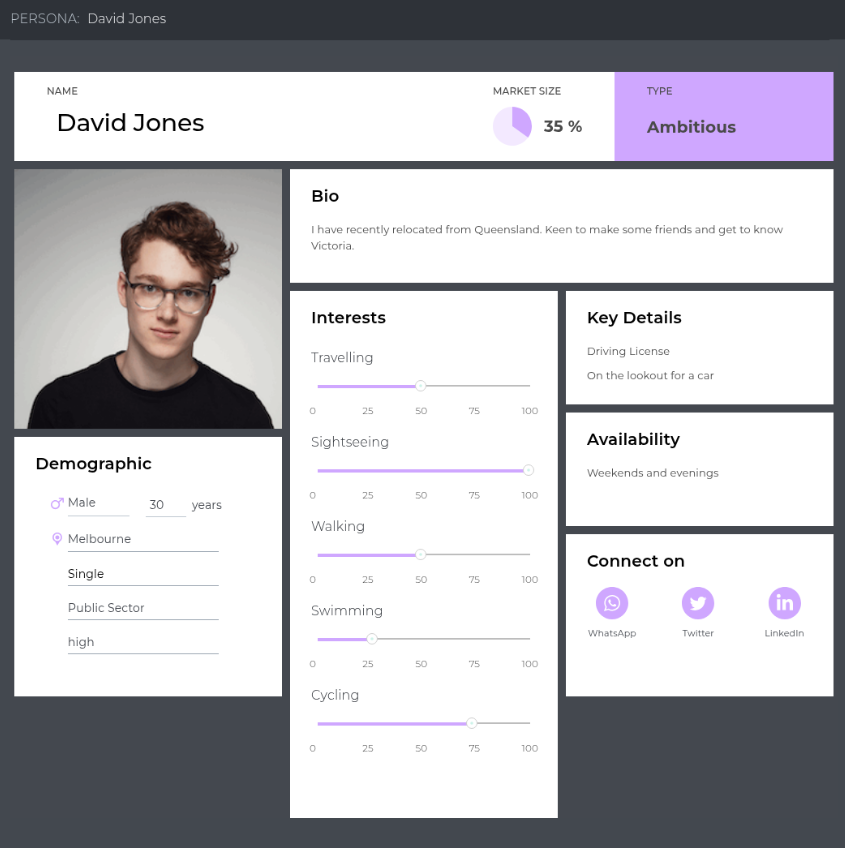
User Group 3
Relocators (25-35). Young professionals who have just relocated from another state. They know Australian ways but want to explore Victoria and make new friends. They want to plan day trips with new friends and get trip ideas.
Customer Journey
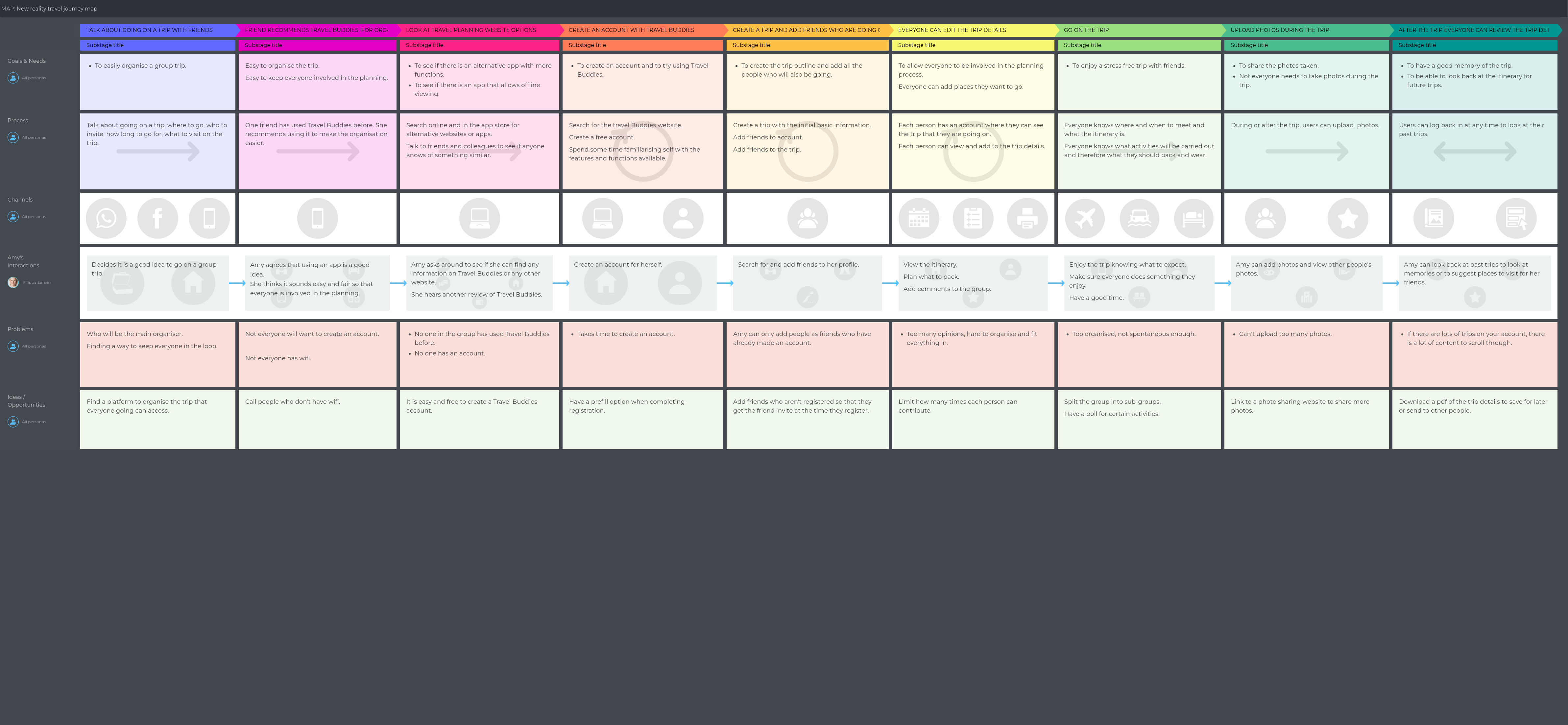
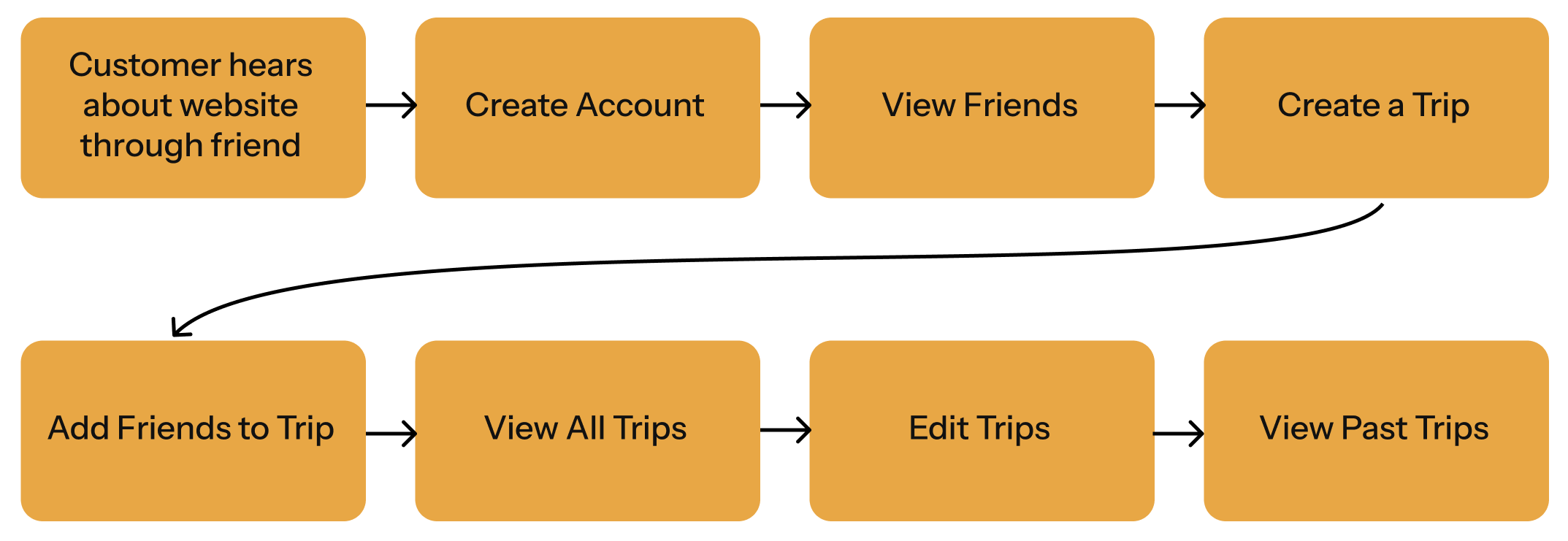
Task Flow
Creating the Design
I used figma to create the wireframes and style guide.
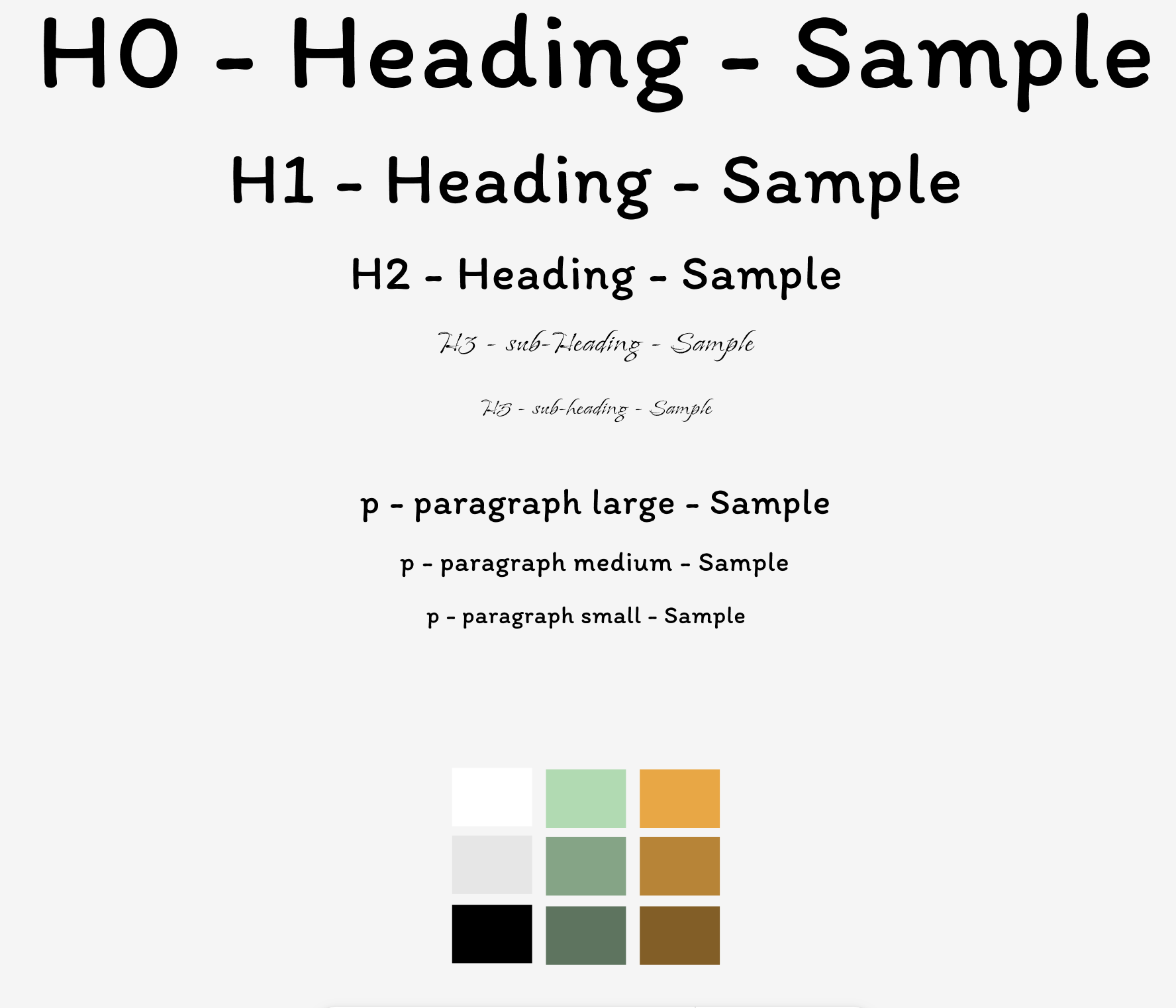
Low Fidelity Wireframe
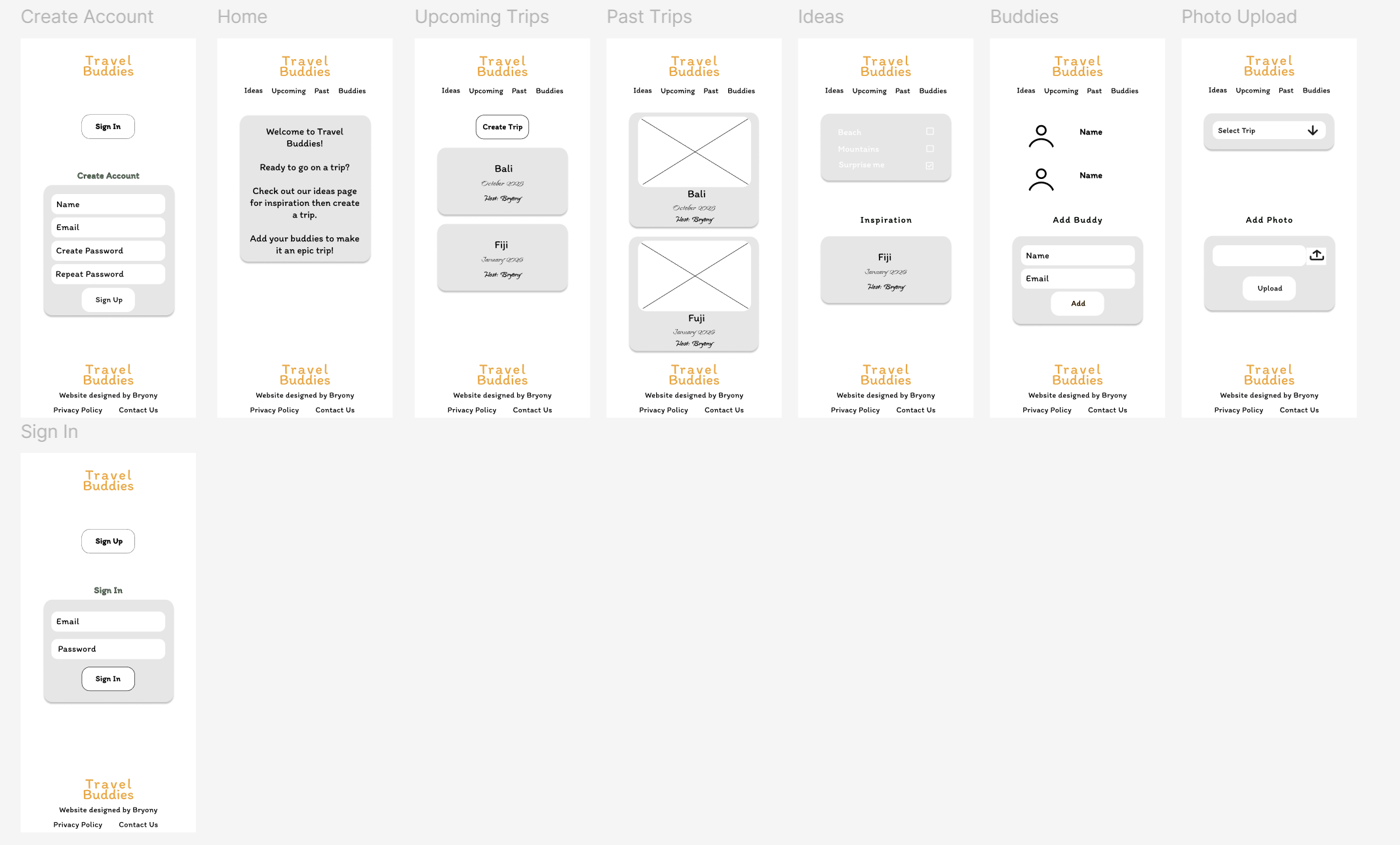
Style Guide
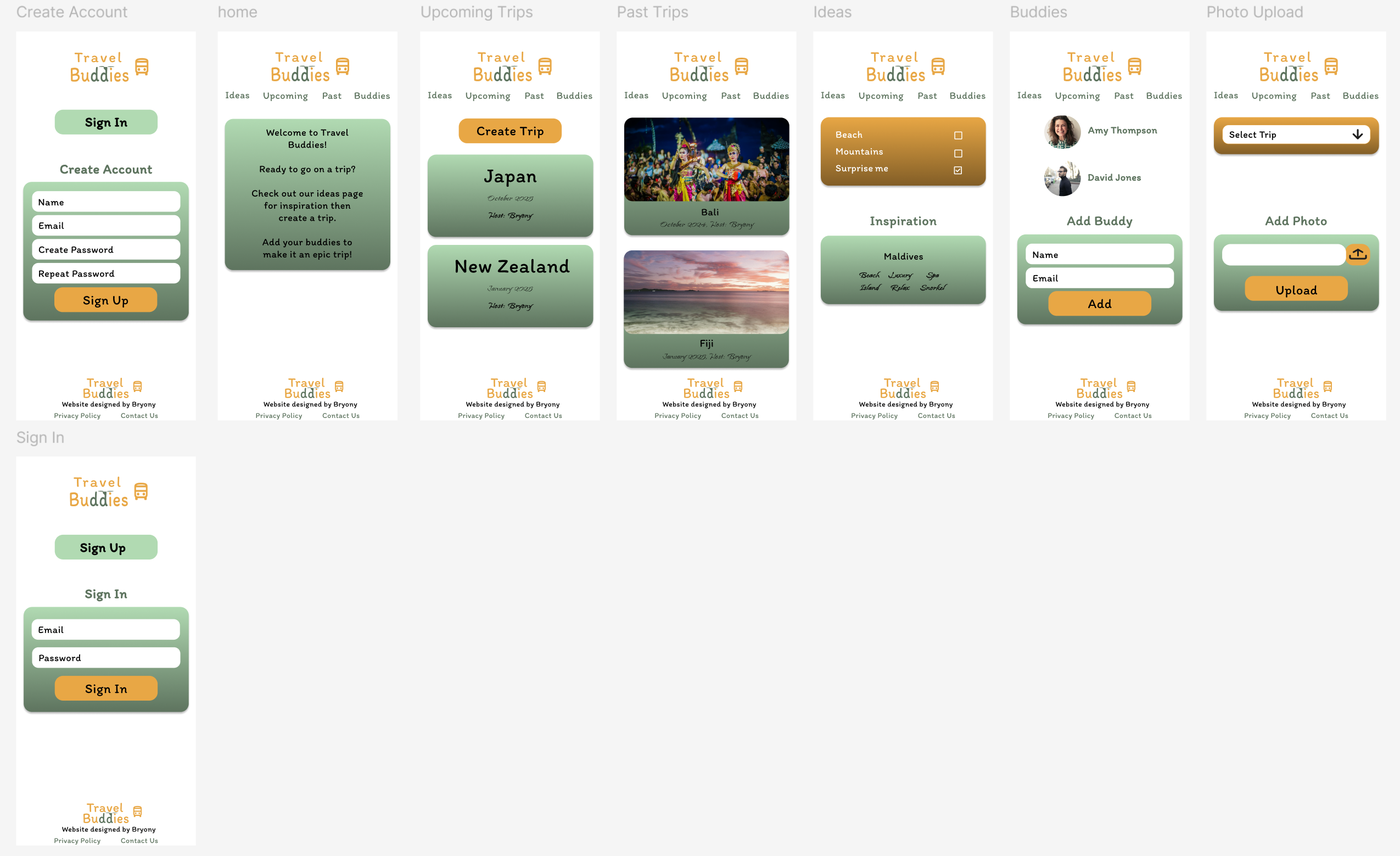
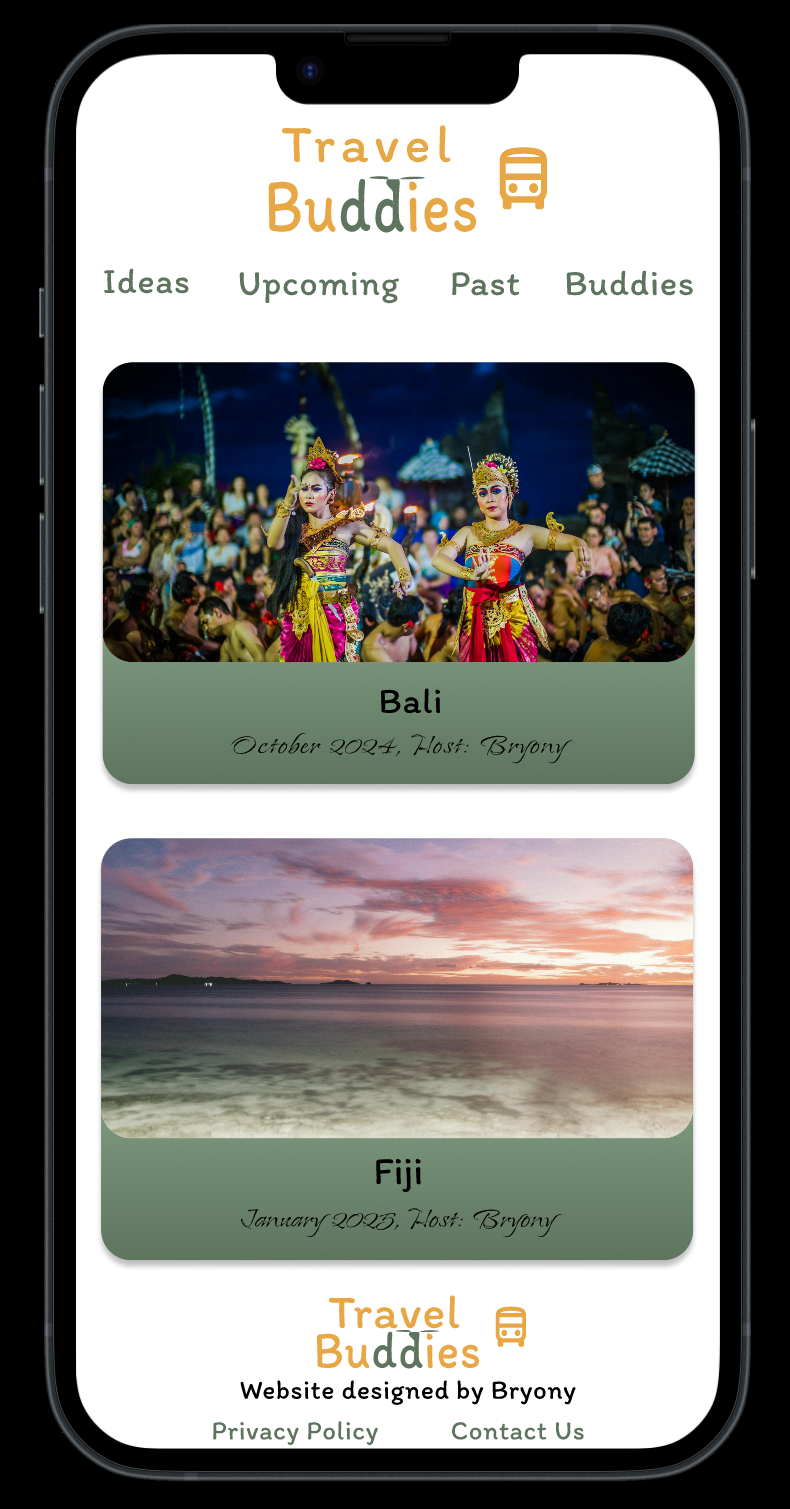
High Fidelity Wireframe
Conclusion
I created a customer persona, customer journey and a task flow. I then created the design as a low fidelity wireframe ensuring all elements of the task flow and customer journey were included.
After testing the low fidelity wireframe for ease of use and ability for the customer journey to be completed efficiently, I created the style guide. I wanted a fun colour theme as this is a travel site aimed at bringing friends together to have good times.
Having made the style guide, I moved on to create the high fidelity wireframe, where I incorporated all the features from the low fidelity wireframe but added in the colours and styles that I created in the style guide.
Overall, I am happy with the result. It has a fun, casual feel to it, just as I wanted.
Next Steps
To continue with this project, I would make pages to show the details of past and upcoming trips, as well as add the page to create a new trip.

